
Container Internals: Linux Namespaces, cgroups v2, OverlayFS, and the OCI Runtime Spec Under the Hood
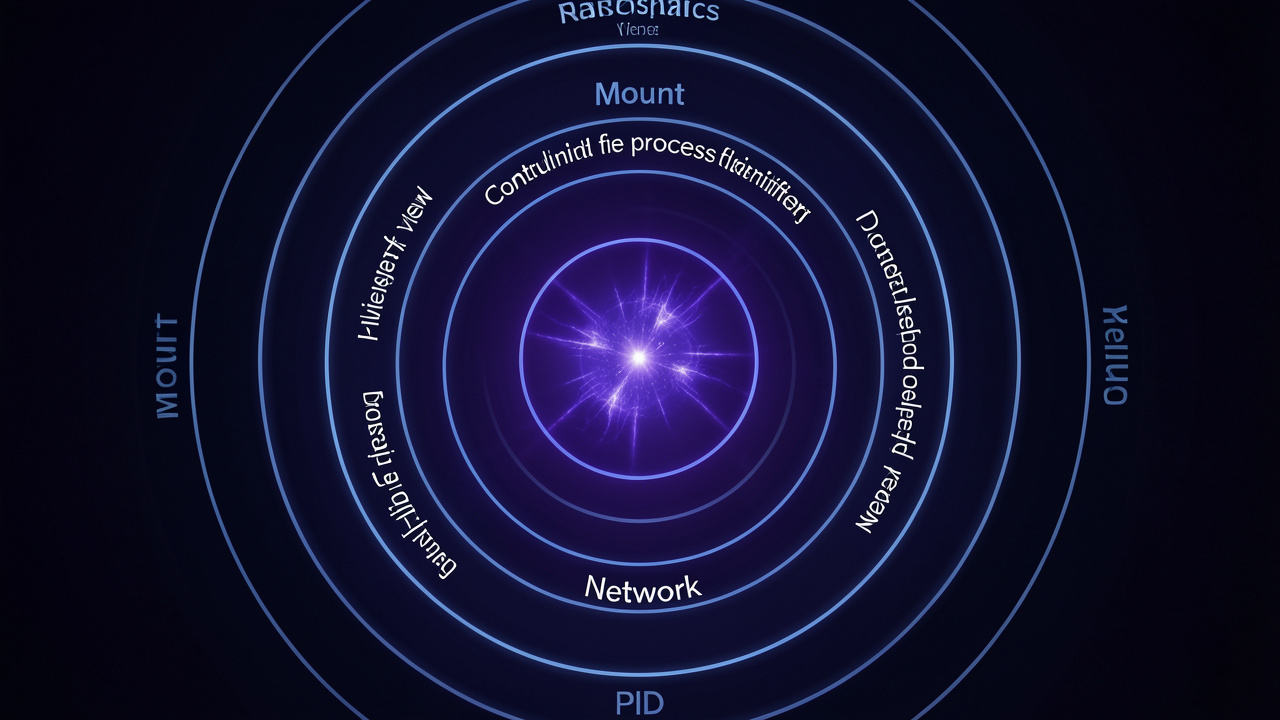
A deep exploration of the Linux kernel primitives that power container runtimes — the seven namespace types, cgroups v2 resource control, OverlayFS copy-on-write storage, and the OCI runtime specification that ties them together.
Contents
In 2008, a little-known kernel engineer named Eric Biederman sent a patch series to the Linux kernel mailing list introducing “namespaces” — a mechanism for partitioning kernel resources so that one set of processes sees one set of resources while another set sees a different set. Thirteen years later, those patches run virtually the entire internet. Every Docker container, every Kubernetes pod, every AWS Lambda invocation, every Cloud Foundry application relies on the namespace mechanism that Biederman and his collaborators built. The container revolution, for all its marketing gloss, is fundamentally a clever application of three Linux kernel features: namespaces for isolation, cgroups for resource control, and union filesystems for storage efficiency. This post dissects each of these primitives in detail, tracing the system calls that turn a bare Linux process into an isolated container.
1. The Container Illusion: Processes, Not VMs
Before diving into kernel internals, we need to be clear about what a container is and isn’t. A container is not a virtual machine. There is no hypervisor, no virtual hardware, no second kernel. A container is a Linux process — or a group of processes — that has been given a restricted view of the system through namespace manipulation. When you run docker run -it ubuntu bash, Docker creates a new set of namespaces, assigns them to the bash process, and the bash process believes it’s running as root on a pristine Ubuntu system. In reality, it’s running as an ordinary user process on the host, sharing the host’s kernel, the host’s page cache, the host’s scheduler, and the host’s I/O stack.
The elegance — and the danger — of containers comes from this kernel sharing. Because containers share the kernel, they start in milliseconds (no bootloader, no kernel initialization, no device probing). They consume minimal memory (no duplicate page cache, no duplicate kernel data structures). They achieve near-native I/O performance (no virtualization layer). But they also share the kernel’s attack surface: a kernel vulnerability exploited from within a container compromises the entire host, not just the container. This is why container security depends so critically on kernel hardening (seccomp, AppArmor, SELinux) and why multi-tenant container platforms often run containers inside VMs (like Kata Containers or Firecracker) for defense in depth.
2. Linux Namespaces: The Seven Faces of Isolation
The namespace API is deceptively simple. The clone() system call, which creates a new process, accepts flags like CLONE_NEWNS, CLONE_NEWNET, CLONE_NEWPID that create new namespaces for the child process. The unshare() system call moves the calling process into new namespaces without creating a new process. And the setns() system call joins an existing namespace. But the simplicity of the API belies the complexity of what happens inside the kernel when a namespace is created.
There are currently seven namespace types in Linux, each isolating a different set of kernel resources. Let’s walk through each one.
2.1 Mount Namespace (CLONE_NEWNS)
The mount namespace, the first namespace type added to Linux (in 2.4.19, 2002), isolates the filesystem mount point list. Each mount namespace has its own set of mount points, which can be modified independently of other namespaces. This allows a container to have its own /proc, its own /sys, its own /tmp — all mounted independently of the host.
The kernel implements mount namespaces using a data structure called a “mount tree.” Each mount namespace has its own root of the mount tree (a struct mount). When a process in a mount namespace calls mount(), the kernel creates a new struct mount and inserts it into the namespace’s mount tree. Other namespaces see their own mount trees, unaffected. The underlying filesystem superblock is shared — there’s only one copy of file data in the page cache — but the mount points are per-namespace.
Crucially, mount namespaces allow “pivot_root” — the ability to change the root directory of the mount namespace. Docker uses this to make the container’s filesystem image appear as / inside the container, while the actual container filesystem lives at /var/lib/docker/overlay2/<hash>/merged on the host.
2.2 UTS Namespace (CLONE_NEWUTS)
The UTS namespace isolates the hostname and NIS domain name. When a container sets its hostname with sethostname(), the change affects only the UTS namespace the container belongs to. This is why each Docker container can have its own hostname.
The kernel implementation is straightforward: the hostname and domain name are stored in the uts_namespace structure, and each process points to the uts_namespace of its namespace. The sethostname() syscall updates the current process’s uts_namespace, not the global hostname.
2.3 IPC Namespace (CLONE_NEWIPC)
The IPC namespace isolates System V IPC resources (message queues, semaphore arrays, shared memory segments) and POSIX message queues. Without IPC namespaces, all processes on the system share the same IPC resource namespace, and a container could access or corrupt another container’s semaphores or message queues.
The kernel tags each IPC resource (each kern_ipc_perm structure) with the IPC namespace that created it. When a process looks up an IPC resource by key, the kernel searches only the resources belonging to the process’s IPC namespace.
2.4 PID Namespace (CLONE_NEWPID)
The PID namespace is perhaps the most transformative namespace — it allows processes in different namespaces to have the same PID. In a new PID namespace, the first process gets PID 1, and subsequent processes get incrementing PIDs starting from 2. From inside the namespace, the process with PID 1 looks like the init process. From outside (the host or a parent namespace), that same process has a different PID.
The kernel implements PID namespaces by maintaining a hierarchical namespace tree. Each process has a PID in each namespace level. For example, a process might have PID 1 in its own namespace, PID 42 in the parent namespace, and PID 12345 in the root namespace. The getpid() system call returns the PID in the caller’s namespace. To get the PID in another namespace, a process must use /proc from that namespace.
Pid namespaces have an important semantic: when the “init” process (PID 1) of a pid namespace dies, the kernel sends SIGKILL to all other processes in that namespace. This ensures that a container terminates cleanly when its main process dies, rather than leaving orphaned processes. It also means that there must always be a process with PID 1 in each pid namespace — if the PID 1 process dies without adopting orphan processes (via waitpid or prctl(PR_SET_CHILD_SUBREAPER)), those orphans are killed.
2.5 Network Namespace (CLONE_NEWNET)
The network namespace isolates the entire network stack: network interfaces, IP addresses, routing tables, netfilter rules, and socket port spaces. Each network namespace has its own loopback interface (lo), and additional interfaces can be assigned to it.
The kernel implements network namespaces by adding a struct net parameter to nearly every networking function. When a function needs to access the routing table, it looks up the struct net of the current process. When a socket is created, it’s bound to the struct net of the creating process. This allows two containers to each bind a socket to port 80 on their respective network namespaces without conflict — the port spaces are distinct.
Virtual Ethernet pairs (veth) connect network namespaces. A veth pair consists of two virtual interfaces, each in a different namespace, connected like a pipe. Packets sent into one end emerge from the other. Docker creates a veth pair for each container: one end goes into the container’s network namespace (as eth0), and the other end is attached to the docker0 bridge on the host. Network address translation (NAT) masquerades the container’s traffic behind the host’s IP address.
2.6 User Namespace (CLONE_NEWUSER)
The user namespace is the most complex and security-critical namespace. It maps user and group IDs between namespaces, allowing a process to be “root” inside its namespace (UID 0, with full privileges within that namespace) while being an unprivileged user outside (UID 1000 on the host). This is how rootless containers work.
The kernel implementation involves translating UIDs and GIDs at every permission check. When a process in a user namespace attempts to access a file, the kernel maps the process’s UID (from its namespace) to the corresponding UID in the file’s namespace, then performs the normal permission check. The mapping is configured by writing to /proc/<pid>/uid_map and /proc/<pid>/gid_map from a process with the appropriate capabilities (CAP_SETUID, CAP_SETGID in the parent namespace).
User namespaces have significant security implications. The CAP_SYS_ADMIN capability inside a user namespace grants administrative privileges over that namespace’s resources but not over the host. A process with CAP_SYS_ADMIN in a user namespace can mount filesystems, create device nodes, or configure network interfaces — but only within the namespace’s scope. This limits the blast radius of a compromised container: even if an attacker achieves “root” inside the container, they cannot affect the host (assuming no kernel vulnerabilities).
2.7 Cgroup Namespace (CLONE_NEWCGROUP)
The cgroup namespace, added in Linux 4.6, isolates the view of cgroup hierarchies. Without cgroup namespaces, a process inside a container can see its full cgroup path on the host (/sys/fs/cgroup/memory/docker/<container-id>), which leaks information about the host’s cgroup layout and potentially the container’s ID. With a cgroup namespace, the process sees its cgroup as the root of the cgroup hierarchy, preventing information leakage.
The kernel implements cgroup namespaces by translating cgroup paths. When a process reads /proc/self/cgroup, the kernel maps the real cgroup path to a path rooted at the process’s cgroup namespace root. This is a relatively simple translation but important for security and proper abstraction.
3. cgroups v2: Resource Control That Actually Works
Control groups (cgroups) are the mechanism that limits, accounts for, and isolates resource usage (CPU, memory, disk I/O, network) of process groups. The original cgroups implementation (v1), introduced in Linux 2.6.24 (2008), suffered from architectural problems: each controller (CPU, memory, blkio, etc.) had its own hierarchy, and a process could be in different cgroups for different controllers. This led to confusion and inconsistency.
cgroups v2, which reached production readiness around Linux 4.15, rearchitected cgroups with a unified hierarchy: all controllers share a single tree. A process belongs to exactly one cgroup, and that cgroup determines its resource limits for all controllers. This simplification made cgroups more predictable and easier to manage.
3.1 The cgroup v2 interface
cgroups v2 are managed through the cgroup2 filesystem, typically mounted at /sys/fs/cgroup. Each subdirectory of /sys/fs/cgroup represents a cgroup. The resource controllers are enabled by writing “+memory +cpu +io” to cgroup.subtree_control at each level of the hierarchy.
For example, to create a cgroup for a container with a 256 MB memory limit and 0.5 CPU shares:
# Create the cgroup
mkdir /sys/fs/cgroup/mycontainer

# Enable controllers for child cgroups
echo "+memory +cpu" > /sys/fs/cgroup/cgroup.subtree_control

# Set memory limit
echo "268435456" > /sys/fs/cgroup/mycontainer/memory.max

# Set CPU weight (proportional share)
echo "50" > /sys/fs/cgroup/mycontainer/cpu.weight

# Move a process into the cgroup
echo $PID > /sys/fs/cgroup/mycontainer/cgroup.procs
The kernel enforces these limits transparently. When a process in the cgroup attempts to allocate memory beyond memory.max, the kernel’s page allocator fails the allocation (returning NULL or triggering the OOM killer within the cgroup). When the cgroup’s CPU usage exceeds its weight-based share, the Completely Fair Scheduler throttles its processes. When the cgroup hits its I/O limit (configured via io.max), the blkio controller throttles its I/O requests.
3.2 Memory Controller Internals
The memory controller is the most complex cgroup controller because it must account for every byte of memory used by processes in the cgroup, including anonymous memory (heap, stack), file-backed memory (page cache), kernel memory (slab allocations, network buffers), and shared memory.
The kernel tracks memory usage at the page level. When a page is allocated, the kernel records which cgroup it belongs to (via the page’s page_cgroup or, in newer kernels, mem_cgroup pointer). When a page is freed, the kernel decrements the cgroup’s usage counter. Shared pages (pages used by multiple processes, possibly in different cgroups) are charged proportionally or to the cgroup that first touched them, depending on kernel configuration.
The memory controller also implements “memory pressure” notifications — when usage exceeds a threshold (configured via memory.high), the kernel throttles allocations and notifies userspace, allowing the container runtime to react before hitting the hard limit. This is used by container runtimes to implement graceful degradation rather than hard OOM kills.
3.3 CPU Controller Internals
The CPU controller in cgroups v2 uses the Completely Fair Scheduler (CFS) to enforce CPU bandwidth limits. The CFS maintains a “weight” for each scheduling entity (each process or group of processes). The CPU time a group receives is proportional to its weight divided by the sum of weights of all active groups.
For hard CPU limits (capping a cgroup to, say, 0.5 CPUs), the CPU controller uses a bandwidth control mechanism. The cgroup is assigned a “period” (typically 100 ms) and a “quota” (microseconds of CPU time per period). If the cgroup exceeds its quota, its processes are throttled — the scheduler removes them from the run queue until the next period. This provides precise CPU usage caps but can introduce latency if the throttling causes a process to miss its deadline.
4. OverlayFS and the Container Filesystem
Containers need a filesystem that appears to be a complete, writable Linux root filesystem but is actually a thin layer on top of a shared read-only image. OverlayFS, merged into Linux 3.18 (2014), provides exactly this through a union mount.
An OverlayFS mount combines two directories: a “lower” directory (read-only) and an “upper” directory (read-write). The merged view, available at the “merged” mount point, shows files from both directories. Files from the upper directory shadow files with the same name in the lower directory. When a process modifies a file from the lower directory, OverlayFS copies the file to the upper directory (copy-up) and the modification applies to the copy. The lower directory remains untouched.
Docker uses OverlayFS to implement container images and layers. Each image layer is a separate lower directory (or lower overlay). When a container is created, Docker creates an upper directory and a merged mount. The container writes to the merged mount; OverlayFS handles copy-up transparently. When the container is deleted, Docker simply removes the upper directory — all the container’s writes are discarded — and the lower layers remain pristine, ready for the next container.
The performance of OverlayFS depends heavily on the copy-up behavior. The first write to a file in a lower layer triggers a copy-up, copying the entire file (even if only one byte is modified) to the upper directory. For large files, this can be expensive. OverlayFS has an optimization for this: “redirect” directories, where a renamed directory in the upper layer stores a redirect to the original location in the lower layer, avoiding the need to copy-up all files in the directory. But for files that are modified frequently (like database files), the copy-up overhead can be significant, and volume mounts (bypassing OverlayFS entirely) are recommended.
5. The OCI Runtime Specification
The Open Container Initiative (OCI) Runtime Specification defines a standard format for container configuration and a standard lifecycle for container runtimes. It separates container concerns into three layers:
Filesystem bundle: A directory containing a
config.jsonfile and the container’s root filesystem (prepared by an OCI-compliant image builder). Theconfig.jsonspecifies the container’s mounts, namespaces, cgroups, capabilities, seccomp profile, environment variables, and entry point.Runtime: A program (
runc,crun,youki) that reads theconfig.json, creates the namespaces and cgroups, sets up the root filesystem, and executes the container’s entry point. The runtime is invoked with a simple command:runc run <container-id>.Lifecycle: The runtime manages the container’s lifecycle: creating, starting, stopping, and deleting. The container process is the runtime’s child process, so the runtime can wait for it to exit and clean up resources.
The OCI spec standardizes what Docker originally implemented in libcontainer (which became runc). This standardization has enabled a rich ecosystem of container runtimes (containerd, CRI-O, Kata Containers, gVisor) that are interoperable because they all implement the same OCI spec. It has also enabled tools like skopeo and umoci that manipulate OCI images and bundles independently of any specific runtime.
6. Putting It All Together: Anatomy of docker run
Let’s trace through a complete docker run -it ubuntu bash to see how all the pieces work together:
1. docker CLI sends request to dockerd
2. dockerd instructs containerd to create container
3. containerd instructs runc to create and start container
4. runc:
   a. Creates cgroup for container (memory, cpu, io limits)
   b. Creates OverlayFS mount:
      - lower: ubuntu image layers (read-only)
      - upper: new writable layer in /var/lib/docker/overlay2
      - merged: container's rootfs view
   c. Creates namespaces:
      - Mount (CLONE_NEWNS): pivot_root to merged overlay
      - UTS (CLONE_NEWUTS): set hostname
      - IPC (CLONE_NEWIPC): isolate IPC resources
      - PID (CLONE_NEWPID): new PID namespace
      - Network (CLONE_NEWNET): create veth pair, connect to bridge
      - Cgroup (CLONE_NEWCGROUP): isolate cgroup view
   d. Configures user namespace (if rootless):
      - Maps container UID 0 to host UID 1000
      - Drops capabilities except those needed
   e. Applies seccomp profile:
      - Blocks dangerous syscalls (reboot, kexec_load, etc.)
   f. Executes bash in the container's namespaces
5. bash runs with PID 1 (in its namespace), sees its own rootfs
The entire process, from docker run to a running bash prompt, takes tens of milliseconds — dominated by the OverlayFS mount and namespace creation. This is 100x faster than booting a VM, which is why containers are the default deployment unit for cloud-native applications.
15. Rootless Containers: Running Containers Without Privileges
Rootless containers represent the frontier of container security. The idea is simple: run the entire container stack — the runtime, the containers, and the applications within them — without any root privileges on the host. No sudo, no CAP_SYS_ADMIN, no setuid binaries. This eliminates the risk of container-to-host privilege escalation entirely, because there is no privilege to escalate from.
Rootless mode is achieved through user namespaces combined with newuidmap and newgidmap setuid helpers (which map the unprivileged user to a range of subordinate UIDs/GIDs). The container runtime (e.g., runc in rootless mode) creates a user namespace where the container’s root (UID 0) maps to the host user’s UID (e.g., 1000). Inside this user namespace, the container can create other namespaces (mount, PID, network) — operations that normally require CAP_SYS_ADMIN on the host but are permitted inside a user namespace because the capability is scoped to the namespace.
Rootless containers have some limitations: they cannot bind to privileged ports (below 1024) without CAP_NET_BIND_SERVICE, they cannot use ping (which requires raw sockets, CAP_NET_RAW), and they have limited filesystem performance (the container’s rootfs must be accessible by the unprivileged user, which often means using fuse-overlayfs instead of the kernel’s OverlayFS). These limitations are being addressed by kernel improvements: unprivileged overlayfs is available in recent kernels, and unprivileged ping works via socket IPPROTO_ICMP. Rootless containers are production-ready for many workloads today, and they represent the future direction of container security.
16. Summary
Containers are not magic. They are a carefully orchestrated combination of Linux kernel primitives — namespaces, cgroups, and union filesystems — that have been refined over more than a decade of kernel development. The namespace mechanism provides the illusion of isolation; cgroups provide the enforcement of resource limits; OverlayFS provides the efficient filesystem layering that makes containers lightweight. The OCI runtime specification ties these primitives together in a standardized, interoperable format.
The beauty of the container model is that it does not introduce new abstractions — it uses the same kernel interfaces that processes have always used, just configured more restrictively. A container is a process with a restricted view of the world. This is both its strength (efficiency, simplicity) and its weakness (shared kernel, shared attack surface). Understanding the kernel primitives underneath the container abstraction is essential for anyone deploying containers in production, because when something goes wrong — a memory leak, a network partition, a filesystem corruption — it’s the kernel primitives you’ll be debugging, not the container runtime. Docker, Kubernetes, and all the layers above are convenience; the truth is in the namespaces, cgroups, and system calls.
7. Summary
Containers are not magic. They are a carefully orchestrated combination of Linux kernel primitives — namespaces, cgroups, and union filesystems — that have been refined over more than a decade of kernel development. The namespace mechanism provides the illusion of isolation; cgroups provide the enforcement of resource limits; OverlayFS provides the efficient filesystem layering that makes containers lightweight. The OCI runtime specification ties these primitives together in a standardized, interoperable format.
The beauty of the container model is that it does not introduce new abstractions — it uses the same kernel interfaces that processes have always used, just configured more restrictively. A container is a process with a restricted view of the world. This is both its strength (efficiency, simplicity) and its weakness (shared kernel, shared attack surface). Understanding the kernel primitives underneath the container abstraction is essential for anyone deploying containers in production, because when something goes wrong — a memory leak, a network partition, a filesystem corruption — it’s the kernel primitives you’ll be debugging, not the container runtime. Docker, Kubernetes, and all the layers above are convenience; the truth is in the namespaces, cgroups, and system calls.
8. Seccomp and System Call Filtering in Depth
Seccomp (Secure Computing Mode) is a Linux kernel facility that filters system calls made by a process. In the container context, seccomp is typically configured via a Berkeley Packet Filter (BPF) program that the kernel executes on each syscall. The BPF program inspects the syscall number and arguments, and returns one of several actions: allow the syscall, kill the process, return an error code, or notify a user-space tracer.
Docker’s default seccomp profile is a whitelist of approximately 300 syscalls (out of ~340 total in modern Linux) that are considered safe for containerized applications. The blocked syscalls include obvious dangers like reboot (which would reboot the host), kexec_load (load a new kernel), bpf (for unprivileged eBPF program loading), ptrace (debug other processes), personality (change execution domain), and clock_settime (modify system clock). Each blocked syscall has a rationale: either it enables a container escape, affects other containers or the host, or provides capabilities that containerized applications shouldn’t need.
Custom seccomp profiles can be applied per container. A web server might only need read, write, open, close, socket, bind, listen, accept, epoll_*, and a few others — perhaps 30 syscalls total. By restricting the syscall interface to exactly what the application needs, seccomp dramatically reduces the kernel attack surface. Even if a vulnerability exists in the bpf() syscall handler, it doesn’t matter if the container can’t call bpf().
9. Container Runtimes Beyond runc
While runc (the OCI reference runtime) handles most Docker and Kubernetes deployments, several alternative runtimes offer different trade-offs. Kata Containers runs each container inside a lightweight VM (using QEMU or Firecracker microVM), providing hardware-level isolation between containers at the cost of higher memory overhead and slower startup. gVisor, developed by Google, implements the Linux syscall interface in user space (in Go), intercepting syscalls from the container and handling them in a restricted user-space kernel without passing them to the host kernel. This provides stronger isolation than namespace-based containers but with lower overhead than full VMs. Firecracker, Amazon’s microVM manager, boots a minimal Linux kernel in a few milliseconds and provides strong hardware-enforced isolation with VM-like security guarantees. These alternative runtimes demonstrate that the container ecosystem is evolving toward defense-in-depth: namespace isolation for trusted workloads, lightweight VMs for multi-tenant environments, and user-space kernels for the highest security requirements.
10. Advanced cgroup v2 Features: Pressure Stall Information and Memory QoS
Beyond basic limits, cgroups v2 provides sophisticated resource monitoring and quality-of-service mechanisms. Pressure Stall Information (PSI), exposed via memory.pressure, io.pressure, and cpu.pressure files, tracks the percentage of time that tasks in the cgroup were stalled waiting for resources. A memory.pressure value of “some avg10=5.0” means that over the last 10 seconds, tasks in the cgroup spent an average of 5% of their time waiting for memory. This enables proactive resource scaling: a container orchestrator can monitor PSI metrics and allocate more memory or CPU before the container hits its hard limit and experiences OOM kills.
The memory controller also supports memory.low and memory.min settings. memory.min is a hard protection: if the cgroup’s usage is below memory.min, its memory will not be reclaimed under any pressure. memory.low is a softer protection: the cgroup’s memory is reclaimed only if there is no unprotected memory available. These settings enable hierarchical memory management where critical system services (sshd, monitoring agents) are protected from OOM while best-effort batch workloads are eligible for reclaim first.
11. Container Networking Beyond Docker Bridge
Docker’s default bridge network is a simple NAT-based approach suitable for development but not for production. Kubernetes networking follows a different model: every pod gets a unique, cluster-routable IP address, and all containers in a pod share the same network namespace (and thus the same IP). This eliminates port mapping (no need for -p 8080:80) and enables direct pod-to-pod communication without NAT.
The Container Network Interface (CNI) standard defines how network plugins configure container networking. Popular CNI plugins include Calico (BGP-based routing, network policy enforcement), Cilium (eBPF-based networking, identity-aware security), and Flannel (simple overlay networking). Each plugin implements the CNI spec: when a container is created, the runtime calls the CNI plugin with the container’s network namespace; the plugin allocates an IP, creates the veth pair, sets up routes, and applies network policies. When the container is deleted, the plugin reverses these operations.
Network policies, enforced by the CNI plugin, provide firewall-like rules at the pod level. A Kubernetes NetworkPolicy can specify that pods with label app: database can only receive traffic from pods with label app: backend on port 5432. The CNI plugin translates these policies into iptables rules, eBPF programs, or BPF maps that the kernel enforces. This is the microsegmentation model: every pod has a default-deny policy, and only explicitly allowed traffic flows.
12. The Future of Container Primitives
The container landscape continues to evolve at the Linux kernel level. Several emerging kernel features promise to reshape container isolation. The io_uring interface provides a new model for asynchronous I/O that could replace the traditional read/write syscall model, reducing context switches for I/O-intensive containerized workloads. pidfd (process file descriptors) provide race-free process management, eliminating PID recycling issues that plague container orchestration. fsopen/fsconfig/fsmount (the new mount API) provide a more granular, filesystem-agnostic way to configure mounts, replacing the monolithic mount() syscall. Landlock provides unprivileged sandboxing through a safe subset of filesystem access control that processes can apply to themselves. And KMSAN (Kernel Memory Sanitizer) brings production-strength memory error detection to the kernel, reducing the risk of kernel vulnerabilities that could be exploited from containers.
These kernel features share a common philosophy: provide fine-grained, composable primitives that container runtimes can combine, rather than monolithic “container” features. The container runtime (Docker, containerd, CRI-O) becomes an orchestrator of kernel primitives, constructing an isolation environment tailored to each workload. A high-security container might combine user namespaces, seccomp, Landlock, and a read-only rootfs. A performance-critical container might bypass the filesystem entirely with io_uring and a memory-mapped data plane. The kernel provides the primitives; the runtime composes them. This is the Unix philosophy applied to containers.
13. Container Performance Analysis: cgroups, perf, and BPF
Understanding container performance requires tracing from the host level, because the container’s /proc may not have full visibility. The host kernel provides several tools for per-container monitoring. systemd-cgtop shows CPU, memory, and I/O usage per cgroup in real time, giving a top-like view of container resource consumption. perf stat -G <cgroup> profiles PMU events (instructions, cycles, cache misses, branch mispredictions) for a specific cgroup, enabling fine-grained performance analysis of containerized workloads. eBPF tools like bcc and bpftrace can trace container activity with filter expressions like cgroupid="i0438d3">.
The docker stats and crictl stats commands provide high-level container metrics (CPU%, memory usage, network I/O, block I/O), but they aggregate across all CPUs and don’t show per-core utilization or microarchitectural details. For production monitoring, Prometheus with the cAdvisor or node_exporter collectors provides per-container metrics with historical trending and alerting.
Memory pressure within a container can be detected by monitoring memory.pressure (PSI) and memory.events (OOM kills, OOM kill attempts, memory limit hits) in the container’s cgroup. A rising memory.pressure value indicates that the container is approaching its limit and the kernel is spending time reclaiming memory. Container orchestrators like Kubernetes can use these signals to automatically adjust resource limits (VPA, Vertical Pod Autoscaler) or to evict pods (kubelet’s eviction manager).
14. The Linux Namespace Lifecycle and Garbage Collection
Namespace lifecycle management is a subtle aspect of container runtime design that has caused real production issues. A namespace persists as long as any process is a member of it, or (for PID and user namespaces) as long as any child namespace exists. This means that “leaking” a process in a namespace — for example, a process that was spawned inside a container but escapes the container’s cgroup — prevents the namespace from being cleaned up when the container exits.
The kernel provides /proc/<pid>/ns/ directory entries for each namespace type, which can be opened as file descriptors and held. A process that opens an fd to a namespace keeps that namespace alive even after all other processes in the namespace have exited. This “namespace pinning” is used deliberately by some container runtimes (to keep a network namespace alive while reconfiguring it) but can also cause namespace leaks if not managed carefully.
Namespaces can be inspected via lsns (list namespaces) and nsenter (enter a namespace), which are invaluable debugging tools. lsns -t <type> lists all namespaces of a given type, showing the namespace ID, the number of processes in it, and the process that created it. nsenter -t <pid> -n enters the network namespace of the target process, allowing the operator to inspect the container’s network configuration from the host. These tools are essential for debugging container networking and storage issues.