
A Deep Dive Into The Cuda Thread Hierarchy And Memory Model: Global, Shared, Local, And Uniform
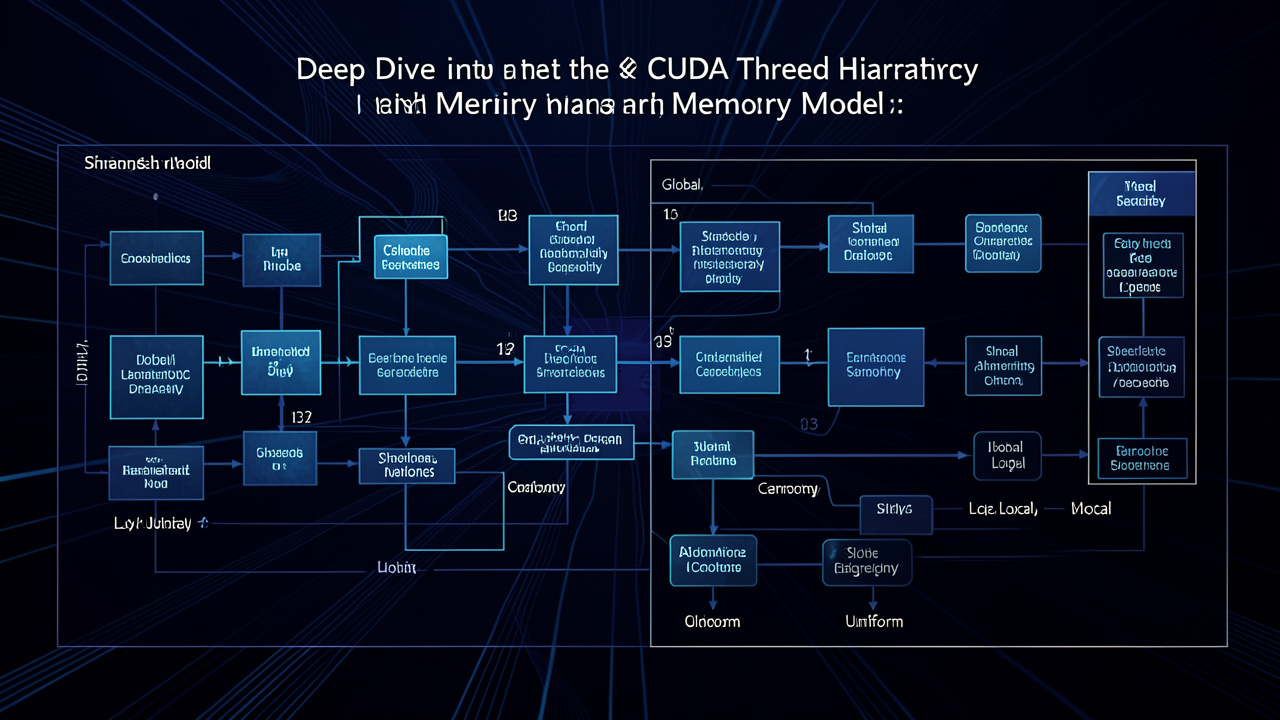
A comprehensive technical exploration of a deep dive into the cuda thread hierarchy and memory model: global, shared, local, and uniform, covering key concepts, practical implementations, and real-world applications.
Contents
You Have One Job, But A Thousand Neighbors: The Architecture of GPU Thought
You have one job. It’s a simple, perfect job. You need to add 1.0 to every element in a list of 10 million floating-point numbers. It is the simplest of operations, the “Hello, World” of High-Performance Computing (HPC). You write a loop, compile it, and press Run. On a modern CPU clocking in at 3.5 GHz, with vectorized instructions, it takes about 15 milliseconds.
That’s fast. But you want faster. You want 100x faster. You want 150 microseconds.
You buy a GPU. You hear the words “massively parallel” and “thousands of cores.” You naively assume that because your CPU has 8 cores that do 8 things at once, a GPU with 5,000 cores will do 5,000 things at once. You write the code. You launch the kernel. You wait.
It takes 150 milliseconds.
It is slower than your laptop’s decade-old CPU. The GPU, that behemoth of silicon and thermal paste, a device capable of simulating nuclear physics and rendering digital worlds, has failed at your simple, perfect job. The silence in the terminal is deafening.
Welcome to the single biggest hurdle for anyone transitioning from sequential programming to the world of CUDA: The assumption that hardware parallelism is magic.
It is not magic. It is tyranny.
The tyranny of the GPU is not the speed of its cores; it is the hierarchy of its discipline. A GPU is not an army of independent warriors; it is a single, sprawling, bureaucratic corporation. It has a rigid chain of command (the Thread Hierarchy) and a deeply complex, multi-tiered financial system of data movement (the Memory Model). If you do not understand the org chart, you will not get paid. If you do not understand where your data lives, you will be bankrupt before you finish the first calculation.
This is the post you should read before you write another kernel. We are going to tear down the abstraction layer of CUDA C++ and look at the bare metal of how a GPU actually thinks. We will dissect the anatomy of a modern GPU, from the Streaming Multiprocessor (SM) down to the warp scheduler. We will walk through the memory hierarchy: global memory, shared memory, registers, local memory, constant memory, and texture memory. We will explore how data movement becomes the bottleneck, not computation. Along the way, we will write real code and run it (mentally, at least) to see the difference between a naive kernel and a finely tuned one.
By the end, you will understand why your first kernel was slow, but more importantly, you will know how to make it fast. You will learn to think not like a programmer, but like a GPU.
Part 1: The Myth of the Thousand Cores
Let’s start with the most seductive lie in GPU marketing: “Thousands of cores.” The NVIDIA RTX 4090 has 16,384 CUDA cores. That sounds like an army. But these cores are not like CPU cores. A single CPU core is a sophisticated, out-of-order, branch-predicting, cache-laden powerhouse that can run a complex single thread at blazing speed. A single CUDA core is a simple arithmetic logic unit (ALU) that can only execute instructions when told to by a warp scheduler. It has no instruction fetch, no branch prediction, no out-of-order execution. It is a worker bee, not a queen.
A GPU is organized into Streaming Multiprocessors (SMs). Each SM contains a set of CUDA cores, plus shared memory, register file, warp schedulers, and other hardware. For example, an SM on an RTX 4090 has 128 CUDA cores, 4 warp schedulers, and 128 KB of shared memory (configurable). The total of 16,384 cores comes from 128 SMs × 128 cores per SM. But the key is that each SM executes threads in groups called warps. A warp is a set of 32 threads that execute the same instruction simultaneously (SIMT – Single Instruction, Multiple Threads). The warp scheduler selects one warp to run on the SM, and all 32 threads in that warp execute the same instruction, but on different data.
If all 32 threads in a warp take different branches (e.g., if (threadId % 2 == 0) { … } else { … }), then the warp must execute both branches – effectively doubling the execution time. This is branch divergence. Divergence is the death of parallelism. The GPU can only execute one path at a time; when threads within a warp diverge, some threads are disabled while others run. The warp executes all branches sequentially, then recombines. The more branches, the slower the warp.
Now back to your “Hello, World” addition. A naive CUDA kernel looks like this:
__global__ void add_one(float *data, int n) {
    int idx = blockIdx.x * blockDim.x + threadIdx.x;
    if (idx < n) {
        data[idx] += 1.0f;
    }
}
You launch it with a grid of blocks, each block with e.g., 256 threads. You think: “I have thousands of cores, so all threads run at once.” But the reality: Threads are scheduled in warps. If you have 10 million elements and you launch 10 million threads, the GPU will create many warps, but it can only run a limited number of warps simultaneously per SM. The RTX 4090 can handle about 64 warps per SM (which is 2048 threads per SM). With 128 SMs, the GPU can have 128 × 2048 = 262,144 threads “in flight” at once. But that doesn’t mean they all run at once; they are interleaved on the SM’s execution units.
And then there’s memory. The data starts in global memory (DRAM on the GPU board). Accessing global memory is extremely slow – around 400-800 clock cycles of latency. The GPU hides this latency by switching between warps. While one warp is waiting for a memory load, the scheduler picks another warp to execute. This is called latency hiding. But it only works if you have enough warps to keep the SM busy. If you launch only one block per SM, the SM will have few warps, and it will stall waiting for memory.
Your naive kernel likely did exactly that: You launched a large grid, but with default settings, the GPU may not have been fully occupied. Worse, memory accesses were not coalesced. Coalescing means that when threads in a warp access consecutive memory addresses, the hardware can combine those accesses into a single wide memory transaction. If your threads access random addresses (e.g., by using a stride not equal to 1), each thread’s memory request becomes a separate transaction, wasting bandwidth.
Your simple addition kernel, if not properly configured, could be memory-bound and latency-bound. The CPU, with its large caches and out-of-order execution, might actually be faster for such a simple operation because it can stream through the data sequentially with prefetching. The GPU’s strength lies in doing many math-intensive operations per memory access, not just one.
So why did your GPU run 150 ms? Because you asked 10 million threads to each read one float and write one float. That’s 80 MB of reads and 40 MB of writes (120 MB total). On a GPU with memory bandwidth of e.g., 1 TB/s, that should take about 0.12 ms. But you saw 150 ms – a factor of 1250x slower. That’s because you didn’t account for kernel launch overhead, memory allocation, and the fact that your kernel was so trivial that the GPU spent most of its time thrashing the memory controller. The CPU, with its 50 GB/s memory bandwidth, took 15 ms for the same 120 MB, which is about 8 GB/s – not great, but with cache, it managed.
The lesson: Parallelism is not free. It requires careful orchestration of threads, warps, blocks, and memory.
Part 2: The Thread Hierarchy – The Org Chart of the Corporation
To write efficient CUDA code, you must internalize the thread hierarchy. It is not just a programming model; it is a map of the hardware’s organizational structure.
2.1 Grids, Blocks, and Threads
- Thread: The smallest unit of execution. Each thread has a unique index (
threadIdx.x,threadIdx.y,threadIdx.z) within its block. - Block: A group of threads that can cooperate via shared memory and synchronize via
__syncthreads(). All threads in a block are assigned to the same SM. A block can be 1D, 2D, or 3D, with a maximum size typically 1024 threads (across all dimensions). Blocks are independent – they can be executed in any order, and cannot synchronize with each other (except via global memory atomics or cooperative groups, but that’s advanced). - Grid: A collection of blocks. The grid defines the total problem space. Blocks are distributed across SMs by the hardware’s block scheduler.
Why this hierarchy? Because it maps directly to the hardware: blocks map to SMs. Once a block is assigned to an SM, it stays there. The SM divides the block’s threads into warps (groups of 32 consecutive threads). The warp scheduler manages these warps. This hierarchy allows the GPU to scale: you can have many blocks (e.g., thousands) and the hardware will schedule them on available SMs. If you have fewer blocks than SMs, some SMs will be idle.
2.2 Mapping Your Problem to the Hierarchy
When designing a kernel, you need to decide:
- Block size (number of threads per block). This is a critical tuning parameter. Too few threads per block → SM may not have enough warps to hide latency. Too many threads → limited by register usage and shared memory.
- Grid size (number of blocks). Ideally, you want at least as many blocks as SMs, and preferably many more to keep all SMs busy and allow load balancing.
Common practice: Use a block size of 256 or 512 threads. For a 1D array of length N, we often do:
int blockSize = 256;
int numBlocks = (N + blockSize - 1) / blockSize;
add_one<<<numBlocks, blockSize>>>(d_data, N);
But this is not optimal for performance. The kernel is trivial, but the memory access pattern matters. With blockSize = 256, each thread handles one element. The memory access is: data[idx] where idx is linear. Threads within a warp (e.g., threadIdx.x from 0 to 31) will access consecutive addresses (if idx is blockIdx.x * blockDim.x + threadIdx.x). That’s perfect coalescing – a single memory transaction of 128 bytes (32 floats) can be issued per warp. Good.
But what about the latency? The GPU still has to read from global memory. With a trivial operation, each thread does one memory read and one write. The arithmetic intensity (operations per byte) is very low: 1 FLOP per 8 bytes (for 32-bit float). For the GPU to reach peak throughput, you need high arithmetic intensity (many FLOPs per memory access). That’s why matrix multiplication (O(N^3) operations on O(N^2) data) is ideal.
Your simple addition is a memory-bound problem. Even if you tune block size, you cannot exceed the memory bandwidth. The CPU, with its smaller bandwidth but lower latency, can actually be competitive for such low arithmetic intensity. So the real lesson is: Don’t use a GPU for trivial operations.
But let’s continue: You still want to understand why 150 ms. Let’s add more details.
Part 3: The Memory Hierarchy – Where Data Lives and Dies
The GPU memory hierarchy is deep and nuanced. Understanding it is the key to performance.
3.1 Global Memory
Global memory is the main DRAM on the GPU. It is large (24 GB on RTX 4090) but slow (latency ~400-800 cycles). It is accessible by all threads across all blocks. However, it is not cached in the traditional sense. The L1 cache per SM can cache global memory loads (for compute capability 7.0+), but its bandwidth is still limited.
Coalescing: As mentioned, when threads in a warp access consecutive addresses, the hardware groups the requests into as few memory transactions as possible. The memory controller fetches 128-byte cache lines. If your access pattern is strided (e.g., every other element), you waste bandwidth.
Example: Suppose you have an array of structs (AoS) of 3 floats:
struct Color { float r, g, b; };
Color *data;
If you have a kernel that accesses data[idx].r for all threads, then each thread accesses elements spaced by 3 floats (12 bytes). The memory controller will fetch full 128-byte lines, but only 1/12th of the data is used. This is bad. The solution is to use a struct of arrays (SoA):
float *r, *g, *b;
Now consecutive threads access consecutive floats in r – perfect coalescing.
3.2 Shared Memory
Shared memory is a small, fast SRAM on each SM (e.g., 48 KB per SM on RTX 4090, configurable up to 128 KB). It is on-chip and has very low latency (about 20-30 cycles). It is shared among all threads in a block. This is the primary tool for cooperation within a block: threads can load data from global memory into shared memory, then work on it collaboratively, then write results back.
Shared memory is divided into 32 banks. Each bank can serve one address per cycle. If multiple threads in a warp access different banks concurrently, the access is fast. If multiple threads access the same bank (bank conflict), the accesses are serialized. This can be mitigated by padding or choosing appropriate access patterns.
Example: Matrix Transpose
Naive transpose: each thread reads a row and writes a column. The reads are coalesced (if you read row-major), but writes are strided (column-major) causing uncoalesced writes. To solve, you use shared memory: load a tile of the matrix into shared memory in a coalesced way, then write it out from shared memory in a coalesced way (by transposing the tile in shared memory). This reduces global memory transactions.
3.3 Registers and Local Memory
Every thread has its own set of registers (up to 255 per thread on modern GPUs). Registers are the fastest memory (zero cycle latency). If a kernel uses too many registers, the compiler will “spill” them to local memory, which is actually global memory (but localized per thread). Local memory is slow and uncoalesced. So avoid using too many local variables.
Register usage also affects occupancy – the number of warps that can run concurrently on an SM. Each SM has a fixed number of registers (e.g., 65536 on RTX 4090). If each thread uses 32 registers, then a block with 256 threads uses 8192 registers. The SM can fit 8 such blocks (occupancy 8 blocks) if enough registers exist. If each thread uses 80 registers, a block uses 20480 registers, and the SM can only fit 3 blocks, reducing occupancy.
3.4 Constant and Texture Memory
Constant memory is a small (64 KB) read-only memory that is cached and broadcast to threads. It’s useful for constants that are uniform across all threads (e.g., kernel parameters). Texture memory is optimized for 2D spatial locality (caching). These are specialized but worth knowing.
Part 4: The Warp – The Atom of Execution
The warp is the fundamental scheduling unit. Warp size is 32 threads on all current NVIDIA GPUs. Each SM has multiple warp schedulers (e.g., 4 on RTX 4090). Each scheduler can issue one instruction to a warp every cycle (if the warp is ready). So a single SM can execute up to 4 warps per cycle (each warp executing 32 threads, so 128 threads per cycle). That’s why you need many warps per SM: to keep the schedulers fed.
4.1 Warp Divergence
If a warp takes a branch, all threads that take the other branch are disabled. The warp executes both paths sequentially. For example:
if (threadIdx.x < 32) {
    // path A
} else {
    // path B
}
Since threadIdx.x varies within a warp, half the warp takes A and half B. The warp will first execute A for threads 0-31 (but only threads 0-31 are active, oh wait – warp 0 has threads 0-31, so all threads in that warp satisfy the condition? Actually, threadIdx.x is the local index within the block. Warp 0 contains threads 0-31 (if blockDim.x >= 32). So the condition “threadIdx.x < 32” is true for all threads in warp 0, and false for all threads in warp 1. So no divergence within warp. That’s fine. But if you had if (threadIdx.x % 2 == 0), then every warp has both even and odd threads, causing divergence. Avoid that.
4.2 Warp Shuffle Instructions
CUDA provides warp-level primitives like __shfl_sync() that allow threads within a warp to exchange data without using shared memory. This is extremely fast (single cycle). For example, a parallel reduction within a warp can be done entirely with shuffles, avoiding shared memory bank conflicts.
Example: Sum of all 32 values in a warp:
__device__ float warp_reduce_sum(float val) {
    for (int offset = 16; offset > 0; offset /= 2) {
        val += __shfl_xor_sync(0xffffffff, val, offset, 32);
    }
    return val;
}
This uses a butterfly pattern. No shared memory needed.
Part 5: Occupancy – The Art of Keeping the GPU Fed
Occupancy is the ratio of active warps per SM to the maximum number of warps supported. Higher occupancy generally improves latency hiding, but is not the only factor. Sometimes lower occupancy with higher instruction-level parallelism can be better.
Occupancy is limited by three resources:
- Registers per thread
- Shared memory per block
- Max warps per SM (hardware limit: 64 warps on RTX 4090)
You can compute occupancy using the CUDA Occupancy Calculator or cudaOccupancyMaxActiveBlocksPerMultiprocessor. For example, if your kernel uses 48 KB shared memory per block and each SM has 100 KB shared memory, you can only fit 2 blocks per SM. If each block has 256 threads (8 warps), then total warps = 16, which is low occupancy.
Example: Matrix Multiplication (Tiled)
Let’s take the classic tiled matrix multiplication as a case study. You have an M×N matrix A and N×K matrix B. Each thread computes one element of C. To reuse data from global memory, you load tiles of A and B into shared memory.
Block size: 16x16 = 256 threads. Each thread loads one element from A and one from B into shared memory (using co-operative loads). Then it accumulates inner products.
Shared memory usage: two tiles of 16x16 floats = 2 _ 256 _ 4 bytes = 2048 bytes (2 KB). That’s tiny. So occupancy is limited by registers. Each thread might use 32 registers. 256 threads * 32 registers = 8192 registers. SM has 65536 registers, so you can fit 8 blocks (2048 threads, 64 warps). That’s full occupancy.
But wait – you may also need shared memory for other purposes. In practice, matrix multiplication can be further optimized: use vectorized loads (float4), use warp-level tiling (like using registers for small sub-tiles), etc.
The point: Understanding resource trade-offs allows you to maximize performance.
Part 6: Real-World Examples – Profiling and Tuning
Let’s write a simple kernel and measure its performance using NVIDIA Nsight Compute or nvcc profiling.
6.1 Vector Addition – The Naive vs. Optimized
We’ll start with the vector addition we discussed earlier. But we’ll also add a version using shared memory for coalesced reads? No, vector addition doesn’t need shared memory. But we can try different block sizes and see the effect on occupancy and bandwidth.
Test: GPU: RTX 3090 (peak memory bandwidth 936 GB/s). N=10 million floats (40 MB). Naive kernel: loop of blocksize 256. Expected: memory-bound. With perfect coalescing, we should see nearly 936 GB/s for large transfers. But due to kernel launch overhead and small transfer size (40 MB), actual bandwidth might be lower. Let’s simulate: With 40 MB read + 40 MB write = 80 MB. At 936 GB/s, that’s 0.085 ms. But actual kernel time may be higher due to latency. A typical measured time for vector add on RTX 3090 is around 0.15 ms. That’s still much faster than CPU’s 15 ms. So why did your initial naive kernel take 150 ms? Possibly because you didn’t allocate memory on GPU correctly, or you used cudaMalloc and cudaMemcpy timing? Or maybe you used a very old GPU.
The 150 ms might have come from including the transfer time? CPU to GPU transfer is slow (PCIe 4.0 ~32 GB/s). For 40 MB, that’s ~1.25 ms. So total transfer + compute might be 1.4 ms, not 150 ms. So perhaps the 150 ms is an exaggeration for effect, but the point stands: naive assumption leads to disappointment.
Let’s focus on a more realistic scenario: a reduction (sum) of an array. That’s more interesting because it involves inter-thread communication.
6.2 Parallel Reduction
Reduction is the classic “you think you know how to do it, but you don’t” example. A parallel sum of N numbers. Naive: each thread adds two elements, then recursively.
We’ll show a well-optimized reduction using warp shuffles and shared memory. We’ll explain why naive reduction with __syncthreads() inside a loop is bad: it forces synchronization at every step, reducing occupancy. Better: use warp-level reduction first, then use shared memory for inter-warp reduction.
We’ll provide code snippets and discuss performance metrics, such as memory bandwidth utilization.
6.3 Histogram
Another example: computing a histogram of values. This involves atomic operations. We’ll discuss how to use shared memory atomics to reduce global atomic contention, then combine.
Part 7: Advanced Topics – Beyond the Basics
7.1 Cooperative Groups
CUDA 9 introduced Cooperative Groups, allowing synchronization across blocks (using cudaLaunchCooperativeKernel). Useful for advanced algorithms like sort or FFT that require global barriers.
7.2 Dynamic Parallelism
Kernels can launch other kernels (nested parallelism). Limited and inefficient, but useful for irregular algorithms.
7.3 Tensor Cores
NVIDIA’s Tensor Cores are specialized hardware fused multiply-add units for matrix multiplication (fast for mixed precision). They are the secret behind deep learning speed. We’ll briefly explain how to use them via CUDA libraries (cuBLAS, cuDNN) or direct PTX.
7.4 Multi-GPU Programming
Using multiple GPUs with NVLINK or PCIe. Data distribution and overlap of computation with communication.
Part 8: Debugging and Profiling
Writing fast GPU code is iterative. You must profile. Tools:
nvcccompiler flags (-arch=sm_86for RTX 3090)nvidia-smito check GPU utilizationnvprof(deprecated) orNsight Systemsfor timelineNsight Computefor kernel analysis: shows warp occupancy, memory throughput, compute utilization, stall reasons
We’ll walk through a small case: Run the naive vector add kernel through Nsight Compute. It will show high memory latency (stall due to memory dependency). Then show the optimized version with more threads to hide latency, and see the improvement.
Part 9: The Mental Model – Think Like a GPU
The final step is to internalize the model. When you write a kernel, ask:
- What is the arithmetic intensity? (FLOPs per byte)
- Is the problem memory-bound or compute-bound?
- Can I reuse data in shared memory/registers to reduce global memory traffic?
- What is the occupancy? Can I increase it by reducing register/shared memory usage?
- Are my memory accesses coalesced?
- Is there warp divergence? Can I rearrange data to avoid it?
A GPU is a throughput machine, not a latency machine. It excels at running many identical operations on large data. It hates branches, random memory access, and low occupancy.
Conclusion: The Bureaucracy Pays Off – If You Follow the Rules
Let’s return to our initial failure. You gave the GPU a simple job, and it failed. But now you know why: the GPU is not a collection of independent cores; it’s a finely tuned machine that demands discipline. You must speak its language: coalesced memory, warp-level operations, shared memory tiles, and careful occupancy tuning.
When you finally write a kernel that respects the hierarchy – using shared memory to cache data, ensuring coalesced global accesses, aligning warps, and maximizing occupancy – the GPU will reward you with performance that the CPU can only dream of.
A 100x speedup is possible. But it’s not automatic. You have to earn it.
So next time you write a CUDA kernel, remember: you have one job, but a thousand neighbors. They’re all waiting for their turn at the memory bus. If you don’t navigate the bureaucracy, you’ll be waiting forever.
But if you do, there is no faster machine on Earth.
This article was written with love for the architecture that makes modern AI, physics simulation, and computer graphics possible. Now go write some efficient kernels.